How to Turn an SRT File Into a Video Timeline (SRT → FCPXML)
Search for "SRT to video" and nearly every result is about the same job: burning subtitles into an existing video. This post is about a different, more useful one: using an SRT file as the blueprint for a video timeline, so each caption becomes a slot where a clip or still appears on screen.
If you edit in Final Cut Pro, that turns an hour of dragging and trimming into an import. Below: what an SRT really contains, why its timestamps are an edit plan, three ways to get one, and how to go from SRT to a timed FCPXML sequence you can open in Final Cut.
Quick answer: an SRT is a list of numbered blocks, each with a start time, an end time and some text. If every block is a sentence of narration, then every block is also a shot: it starts at the block's start time and runs until the next block begins. Pair block N with asset N, write the result as FCPXML, and import it with File → Import → XML in Final Cut Pro.
What an SRT file actually contains
SRT (SubRip) is about as simple as timed text gets. The Library of Congress format description defines it as plain text files with sequential numbering for each caption, separated by blank lines. Each block has:
- A sequence number.
- A timecode line in
hours:minutes:seconds,millisecondsformat with a-->between start and end. - One or more lines of subtitle text.
- A blank line that ends the block.
1
00:00:00,000 --> 00:00:03,400
In 2019, a single spreadsheet error cost a city millions.

2
00:00:03,400 --> 00:00:05,900
Nobody noticed for three years.

3
00:00:05,900 --> 00:00:09,200
Here's how it happened.
Notice the comma before the milliseconds (a common source of confusion with WebVTT, which uses a period). Notice, too, that the end of block 1 and the start of block 2 are the same instant here. That isn't always the case, as captions often leave small gaps, and we'll come back to it.
The unlock: timestamps are an edit blueprint
Most people see an SRT as a transcript with times. Look at it as a shot list: each block is a slot with a known start and a known duration, and what happens inside the slot is the sentence being spoken.
If you're making a narration-led video (an essay, a faceless channel, a documentary over archival footage), there is usually one visual per sentence. So the SRT already tells you:
- When each visual should appear (the block's start time).
- How long it should stay (until the next block's start).
- How many visuals you need (the number of blocks).
That's the whole structure of the rough cut, in a file the size of a text message. All that's missing is the mapping from block to media, and a way to write it into a timeline. That's what the rest of this post covers.
A worked example: six captions, six slots
Take the three blocks above plus three more. The same data, read as an edit plan:
| Block | Start | End | Narration | Asset | On screen for |
|---|---|---|---|---|---|
| 1 | 00:00.0 | 00:03.4 | "In 2019, a single spreadsheet error…" | 001_spreadsheet.mp4 | 3.4 s |
| 2 | 00:03.4 | 00:05.9 | "Nobody noticed for three years." | 002_calendar.png | 2.5 s |
| 3 | 00:05.9 | 00:09.2 | "Here's how it happened." | 003_thesis_card.png | 3.3 s |
| 4 | 00:09.2 | 00:13.0 | "It started with a single formula." | 004_formula.png | 3.8 s |
| 5 | 00:13.0 | 00:16.1 | "One range was off by a row." | 005_range_highlight.png | 3.1 s |
| 6 | 00:16.1 | 00:20.4 | "Everything downstream inherited the mistake." | 006_flowchart.mp4 | 4.3 s |
(Times are illustrative.) The last column is the only calculation involved: the next block's start minus this block's start. Once you see an SRT like this, the rest is bookkeeping, and bookkeeping is what software is for.
Three ways to get an SRT
1. Your editor or YouTube's auto-captions
Final Cut Pro can generate captions automatically from speech in your clips. Apple's page notes it requires a Mac with Apple silicon and is available in U.S. English only. YouTube also produces auto-captions you can download. Both are free and convenient. The caveats: caption blocks are often split for reading (line length, reading speed) rather than at sentence boundaries, which matters when each block is meant to be one shot.
2. A cloud transcription service
Many services transcribe and export SRT with high accuracy. The trade-off is that your audio is uploaded to a third party, which matters for unreleased or client material.
3. On-device transcription
Whisper is OpenAI's open speech-recognition model, and whisper.cpp is a C/C++ port that runs locally on a Mac without a cloud service or API key. This is what MatchCut FCP uses. Audio never leaves your machine for transcription; you download a model once (the default base model is about 145 MB; the available range is roughly 75 MB to 2.9 GB).
For alignment work, you want one block per sentence. MatchCut splits the transcript into sentences so each block is one idea, ready to pair with one asset.
From SRT to timeline: the manual route
Without a tool, the process looks like this:
- Open the SRT and list every block's start time.
- Create markers at those times in your timeline (or build an EDL by hand).
- Drag each clip to its marker and trim to the next marker.
It works, and it's exactly the drag-and-trim loop covered in How to Align B-Roll and Images to a Voiceover Automatically. It's also fragile. One missed block shifts everything after it, and the work scales with the number of sentences.
A note on Final Cut Pro itself: it can import caption files as captions, but captions are text on the timeline, not media placement. An SRT imported that way tells FCP what words appear when. It doesn't put a clip under each line.
The FCPXML route
What FCPXML is
FCPXML is Final Cut Pro's XML interchange format, the way other tools hand FCP a project. Apple documents it in Use XML to transfer projects: you can generate XML files with other applications and import them, and Final Cut Pro generates clips, events, projects and a library depending on the file's contents. Other editors read it, too. For example, EDIUS and Adobe Premiere Pro document importing from Final Cut Pro XML.
Because FCPXML describes an actual sequence (which clip, at what time, for how long), it's the right container for an SRT-driven timeline.
How MatchCut FCP writes the sequence
MatchCut FCP does the SRT-to-timeline mapping. With a voiceover, your numbered media folder and, optionally, your own SRT:
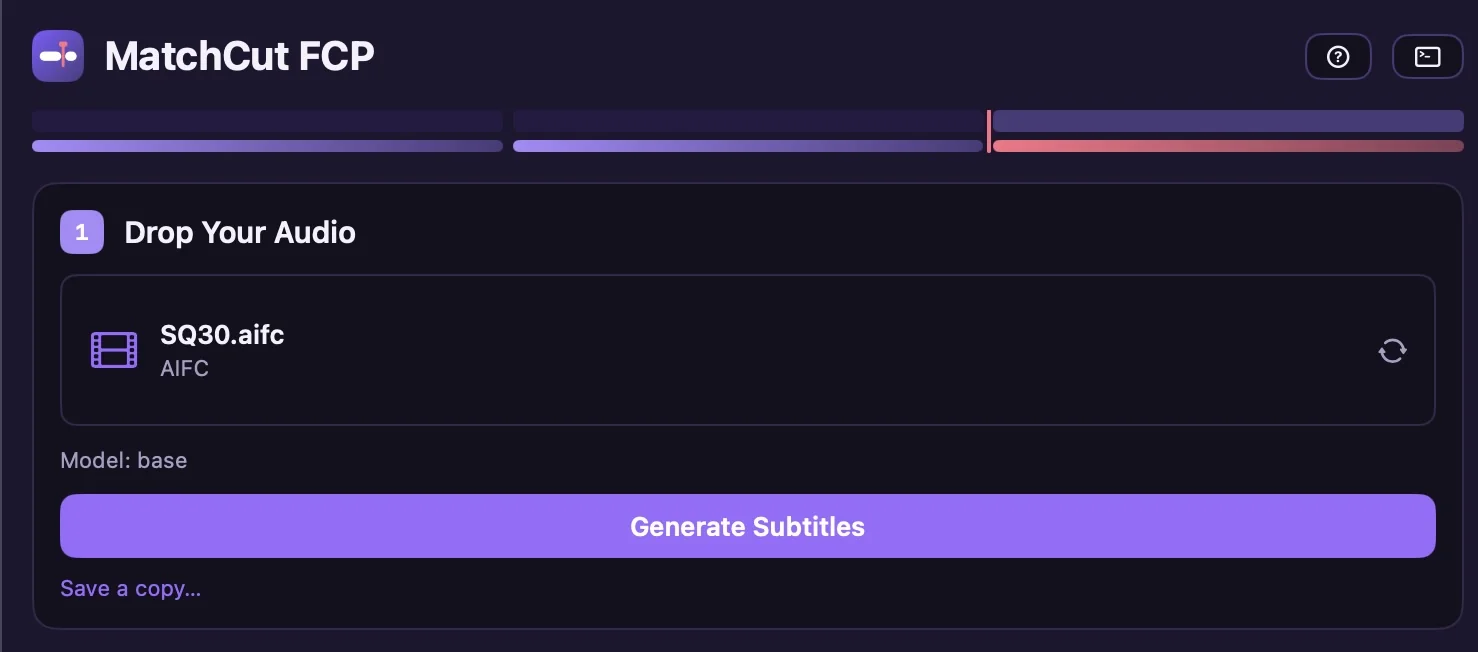
- Get the SRT. Drop your audio and select Generate Subtitles, or pick Already have subtitles? Use an existing .srt… to use one you edited. The app saves generated SRTs to
~/Library/Application Support/MatchCut FCP/SRTs/. - Load the folder. Drag your folder of numbered assets (
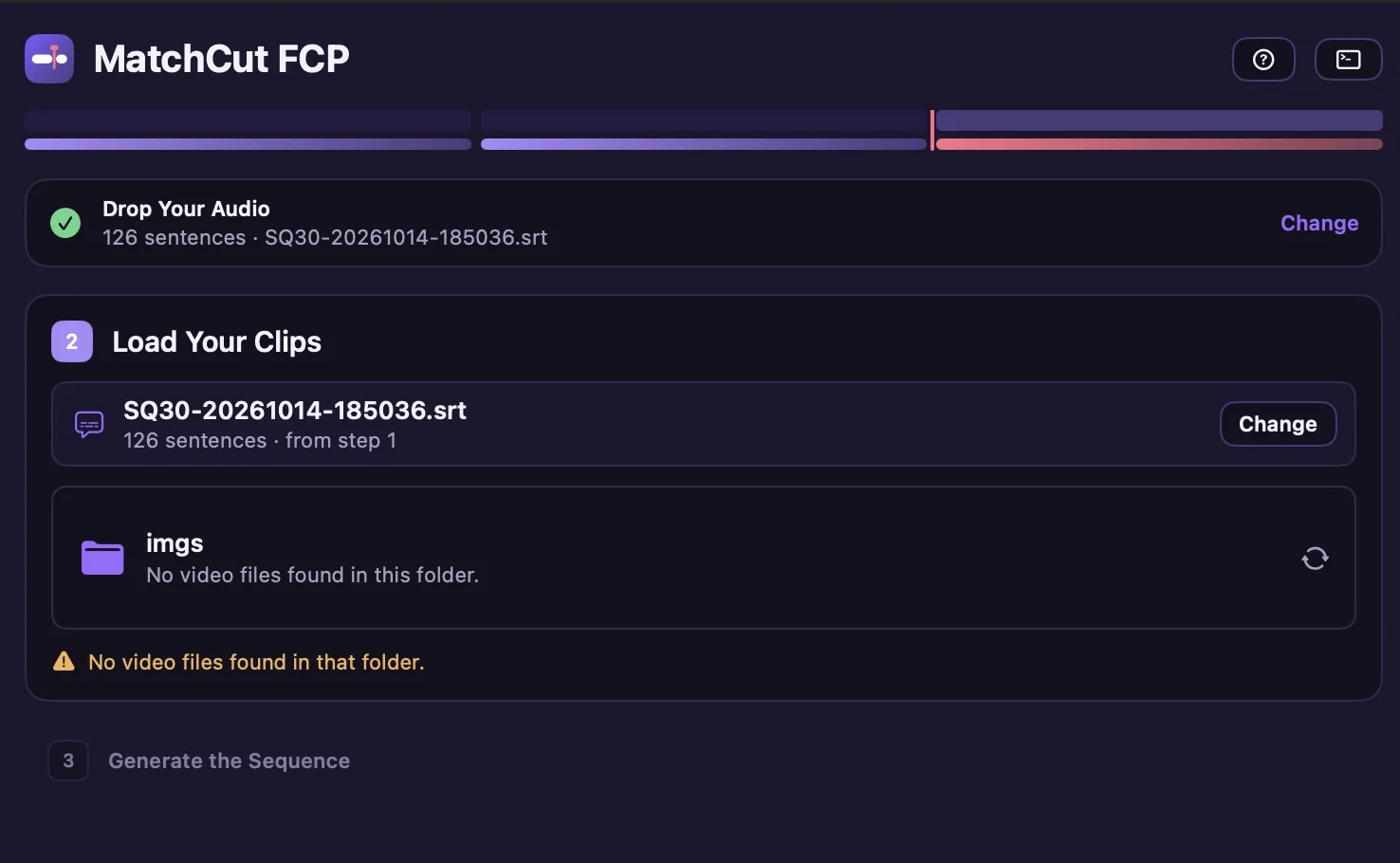
001_intro.mp4,002_chart.png, …) onto step 2. Assets are sorted in natural order and paired with blocks one-to-one.
- Export. Select Export FCP XML. Each asset is placed at its caption's start time and shown for this duration:
next block's start − this block's start. The result is a valid FCPXML 1.9 timeline with no gaps between shots.
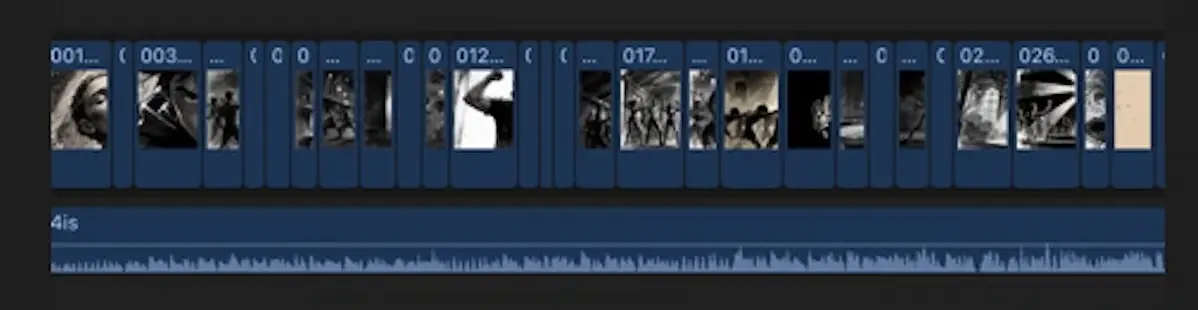
That formula is why the small gaps captions sometimes leave don't produce black frames: every shot holds until the next one starts.
Import it
In Final Cut Pro choose File → Import → XML…, select the .fcpxml, and FCP creates an event and a timeline with each asset aligned to your voiceover. Add the voiceover on the primary storyline if it isn't included, then scrub through to check. The click-by-click is in the help guide.
Requirements: Final Cut Pro 10.5+, an Apple Silicon Mac, macOS 12 or later. See system requirements.
Verify your timeline
Before you start finishing:
- Count first. Number of SRT blocks must equal number of assets. MatchCut blocks the export on a mismatch (with an optional override that exports the smaller count).
- Check the boundaries. Play the first, middle and last few shots against the audio. If shot 40 is off, look at block 40 and its neighbours.
- No gaps. The timeline should be one continuous run.
- Spot-check the text. Wrong words don't matter for alignment, but wrong boundaries do.
Troubleshooting
| Problem | Likely cause | Fix |
|---|---|---|
| Export blocked, counts differ | Blocks ≠ assets | Edit the SRT or the folder until they match |
| One shot lasts two sentences' worth of time | A block holds two sentences | Split it in the SRT, reload it, add an asset |
| A shot flashes by | Very short block (a fragment) | Merge it into its neighbour in the SRT |
| Everything after shot N is off | A skipped or duplicated asset number | Renumber without gaps |
| Strange characters in captions | File encoding | Save the SRT as UTF-8 |
| Timing seems right but frame rate looks off | Project frame rate differs from the footage | Set the FCP project to match your footage |
Each step can be repeated: select a completed step to reopen it. Edit the SRT and reload it with Use an existing .srt… to try again.
Use cases beyond essays
- Narrated explainers with a screenshot or diagram per sentence.
- Faceless channels producing a video a week (see how to start a faceless YouTube channel).
- Audiograms and podcast visuals where each segment gets an image.
- Localized voiceovers: record the translated VO, regenerate the SRT, re-export, and the same numbered folder re-times itself to the new language.
FAQ
Is SRT the same as VTT? No. Both are timed text, but WebVTT uses a period before milliseconds and adds a header and styling features. SRT is the simpler and more widely accepted format.
Does Final Cut Pro read SRT? It can import caption files as captions. It doesn't turn an SRT into a media timeline, which is why you need FCPXML for that.
Do I need captions and a timeline? Not necessarily. The SRT is the plan; the FCPXML is the timeline. You can still use the SRT as captions on YouTube afterward.
Can I edit the SRT first? Yes, and you should if sentences were split badly. Reload it in the app with Use an existing .srt….
Is it free? Subtitles are always free. Your first two successful FCPXML exports are free. Full access is $19 early access; see how licensing works.
Turn your next SRT into a timeline
Download the beta, try it on a real voiceover, or take the product tour. For the bigger picture, read the video essay workflow in Final Cut Pro and Does Final Cut Pro Auto-Sync B-Roll to Audio?
Sources
Accessed 2026-10-16.
- Library of Congress — SubRip (SRT) format description
- Apple — Use XML to transfer projects · Generate subtitles automatically
- EDIUS — FCP XML import · Adobe — Migrate from Final Cut Pro X
- OpenAI — Whisper · ggml-org — whisper.cpp